JavaFX ImageView
Jakob Jenkov |
The JavaFX ImageView control can display an image inside a JavaFX GUI. The ImageView control must be
added to the scene graph to be visible. The JavaFX ImageView control is represented by the class
javafx.scene.image.ImageView .
Creating an ImageView
You create an ImageView control instance by creating an instance of the ImageView class.
The constructor of the ImageView class needs an instance of a javafx.scene.image.Image
as parameter. The Image object represents the image to be displayed by the ImageView
control.
Here is a JavaFX ImageView instantiation example:
FileInputStream input = new FileInputStream("resources/images/iconmonstr-home-6-48.png");
Image image = new Image(input);
ImageView imageView = new ImageView(image);
First a FileInputStream is created which points to the image file of the image to display.
Second an Image instance is created, passing the FileInputStream as parameter
to the Image constructor. This way the Image class knows where to load the
image file from.
Third an ImageView instance is created, passing the Image instance as parameter to
the ImageView constructor.
Adding an ImageView to the Scene Graph
To make the ImageViewl visible you must add it to the scene graph. This means adding it to a
Scene object. Since ImageView is not a subclass of javafx.scene.Parent
it cannot be added directly to the scene grahp. It must be nested inside another component, for instance a
layout component.
Here is an example that attaches a JavaFX ImageView to the scene graph by nesting it inside a
HBox layout component:
package com.jenkov.javafx.controls;

import javafx.application.Application;
import javafx.scene.Scene;
import javafx.scene.control.Button;
import javafx.scene.image.Image;
import javafx.scene.image.ImageView;
import javafx.scene.layout.HBox;
import javafx.stage.Stage;

import java.io.FileInputStream;

public class ImageViewExperiments extends Application  {


    @Override
    public void start(Stage primaryStage) throws Exception {
        primaryStage.setTitle("ImageView Experiment 1");

        FileInputStream input = new FileInputStream("resources/images/iconmonstr-home-6-48.png");
        Image image = new Image(input);
        ImageView imageView = new ImageView(image);

        HBox hbox = new HBox(imageView);

        Scene scene = new Scene(hbox, 200, 100);
        primaryStage.setScene(scene);
        primaryStage.show();

    }

    public static void main(String[] args) {
        Application.launch(args);
    }

}
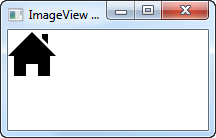
The result of running the above JavaFX ImageView example is an application that looks like this:
ImageView in Labels and Buttons
It is possible to use an ImageView in both a JavaFX Label and Button. This will cause
the Label and Button to display the ImageView to the left of the text
in the Label or Button. See the texts about JavaFX Label
and JavaFX Button for information about how to do that.
| Tweet | |
Jakob Jenkov | |














